Information on changing the KARLO login
Dear partners,
within the upcoming weeks, we will be gradually changing the login to the KARLO-Onlineshop in order to optimize the security and protection of your data. This measure will enable us to continue to offer you a secure and reliable service in the future.
Below you will find all the important information about the new login - the KOMSA-Login.
We understand that change can sometimes be challenging, but we want to reassure you that these changes are designed to protect your personal data in the best possible way. Please do not hesitate to contact us if you have any questions or concerns.
Thank you for your understanding and ongoing support.
What does KOMSA-Login mean?
The KOMSA-Login is your personal user account and therefore the superordinate platform for the applications in the KOMSA universe for which you are authorized - for example the KARLO-Onlineshop or the FAST network portal.
You log in to the KOMSA-Login once with your e-mail address and a password or alternatively with your Google account. After logging in, you will be given access to a dashboard with all the applications relevant to your business with KOMSA.
You can also continue to log in via the login pages of the applications themselves (e.g. karlo.de).
The KOMSA-Login has no influence on the applications themselves. These remain independent and autonomous. It is merely the higher-level login for accessing the applications.
Your e-mail address is important!
Your personal KOMSA-Login is linked to an e-mail address - this is your identity.
Make sure that you always use the same e-mail address if, for example, you are activated for another application. This is the only way to gain access to all applications activated for you with one login.
What advantages and functions does the KOMSA-Login offer?
Log in once:
No more multiple logins per application. It is more standardized and saves time. You log in once with your e-mail address and password and have access to all applications that have been activated for you.
Data economy:
-
Login only with e-mail and password. We only need your first and last name and your e-mail address to set this up.
-
Alternatively, you can use your Google account.
Security according to the latest standards:
-
You assign complex passwords and thus optimally secure your account against attacks (upper and lower case letters, numbers, special characters are possible).
-
Additional optional security via 2-factor authentication. In addition to your password, an optional security code is requested.
-
If you have been inactive for 90 days, 2-factor authentication will be required the next time you log in. This provides additional security for your user account.
-
You can log out of all devices and browsers if you have lost a device, for example.
Maximum self-service:
-
In your KOMSA-Login, you can easily manage your master data such as e-mail address, title, first name, surname and language as well as your password yourself.
-
Have you forgotten your password? No problem. There is also a function for resetting your password.
-
With the "stay logged in" function you can keep your login active for 90 days.
-
You can deactivate the permanent 2-factor authentication (request for a security code) for the login and reactivate it if required.
-
You can delete your account. Your data will be anonymized. Access to the KOMSA applications is no longer possible.
What do I have to do to switch my KARLO access to the KOMSA-Login?
The changeover takes place in the following steps:
-
Every time you log in to KARLO, you will receive a message asking you to switch to the KOMSA-Login. This message will disappear after the changeover.
(Don't see a message? Please skip to the question: I don't see any reference to the changeover in KARLO, why not and what do I need to bear in mind?) -
Please read the message in KARLO carefully.
-
Click on the "Switch now" button.
-
You will receive an e-mail to the e-mail address shown in the message for the final setup of the KOMSA-Login.
-
Please click the link in this e-mail to confirm your e-mail address.
-
You will now be redirected to the KOMSA-Login interface.
-
Please enter a salutation, your first and last name as well as your password and language (step only necessary if you do not yet have a KOMSA-Login at the desired e-mail address).
-
By clicking on the confirmation button, you have completed the changeover to the KOMSA-Login.
You can now use the KOMSA-Login with your e-mail adress an password to access KARLO.
You can also carry out the changeover later directly in KARLO using the following method:
-
Go to "My KARLO → My Account" in the KARLO main menu
-
Click on the "Switch now" button
(You don't see a note with a button? Please skip to the question: I don't see any reference to the changeover in KARLO, why not and what do I need to bear in mind?) -
Continue as described above.
Which applications can be accessed via the KOMSA-Login?
-
B2B Onlineshop KARLO
-
FAST networking portal
-
Further applications in planning
Please note that access to individual applications requires approval. Please speak to your customer advisor if necessary.
What data do I use to log in?
-
E-mail address and password OR
-
Google Account
How can I access the KOMSA-Login, how do I log in and what does it look like?
The choice is yours:
-
Either call up your KOMSA-Login at login.komsa.com, log in and click on the application on your dashboard OR
-
You log in via the login page of the application itself (e.g. www.karlo.de). You will then be taken to the KOMSA-Login, where you enter your e-mail address and password (alternatively: Google Account). You will then immediately be connected to the start page of the application.
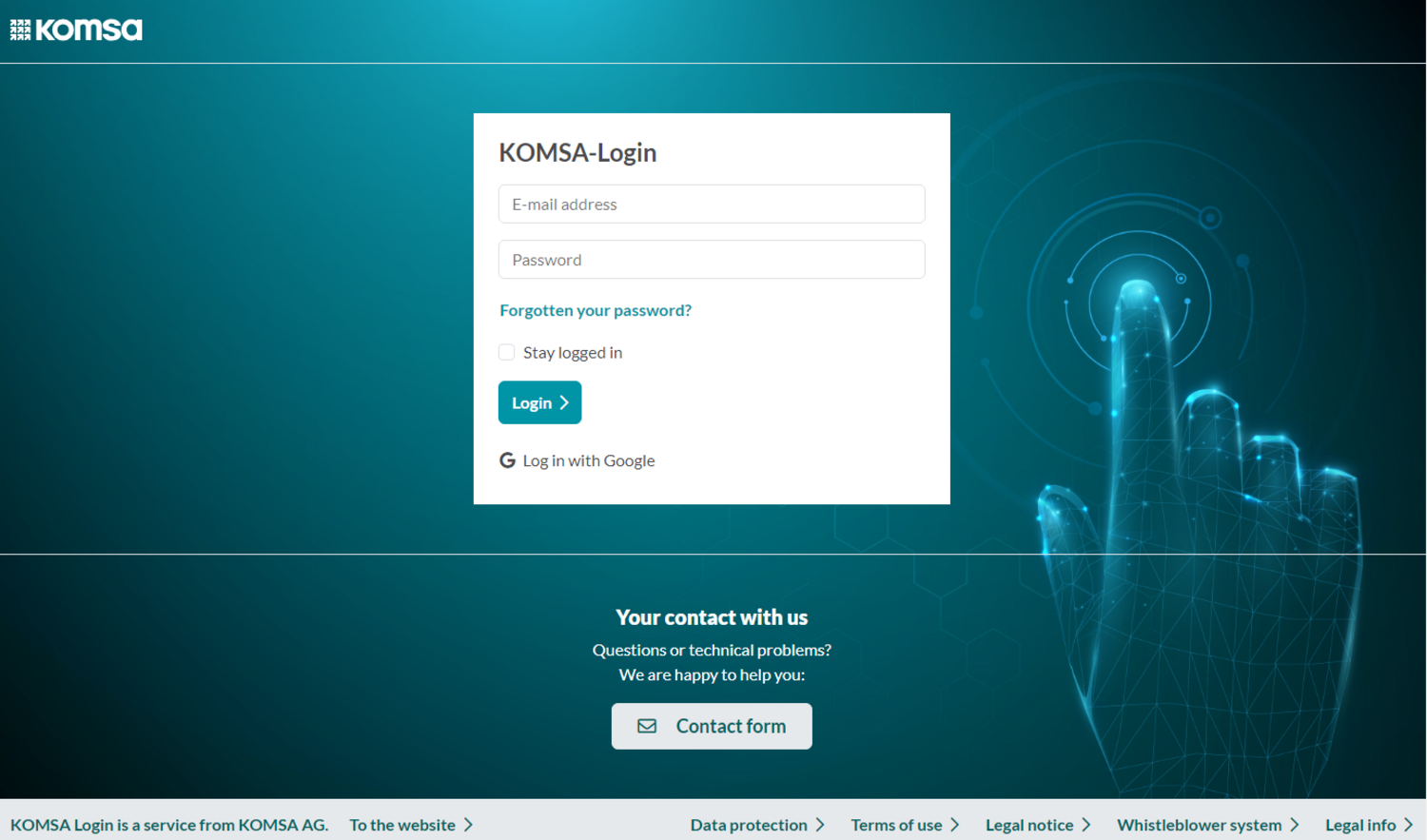
View of the dashboard before login:
You will see a clearly laid out login interface where you can enter your KOMSA-Login data and go directly to the dashboard for the applications relevant to you.
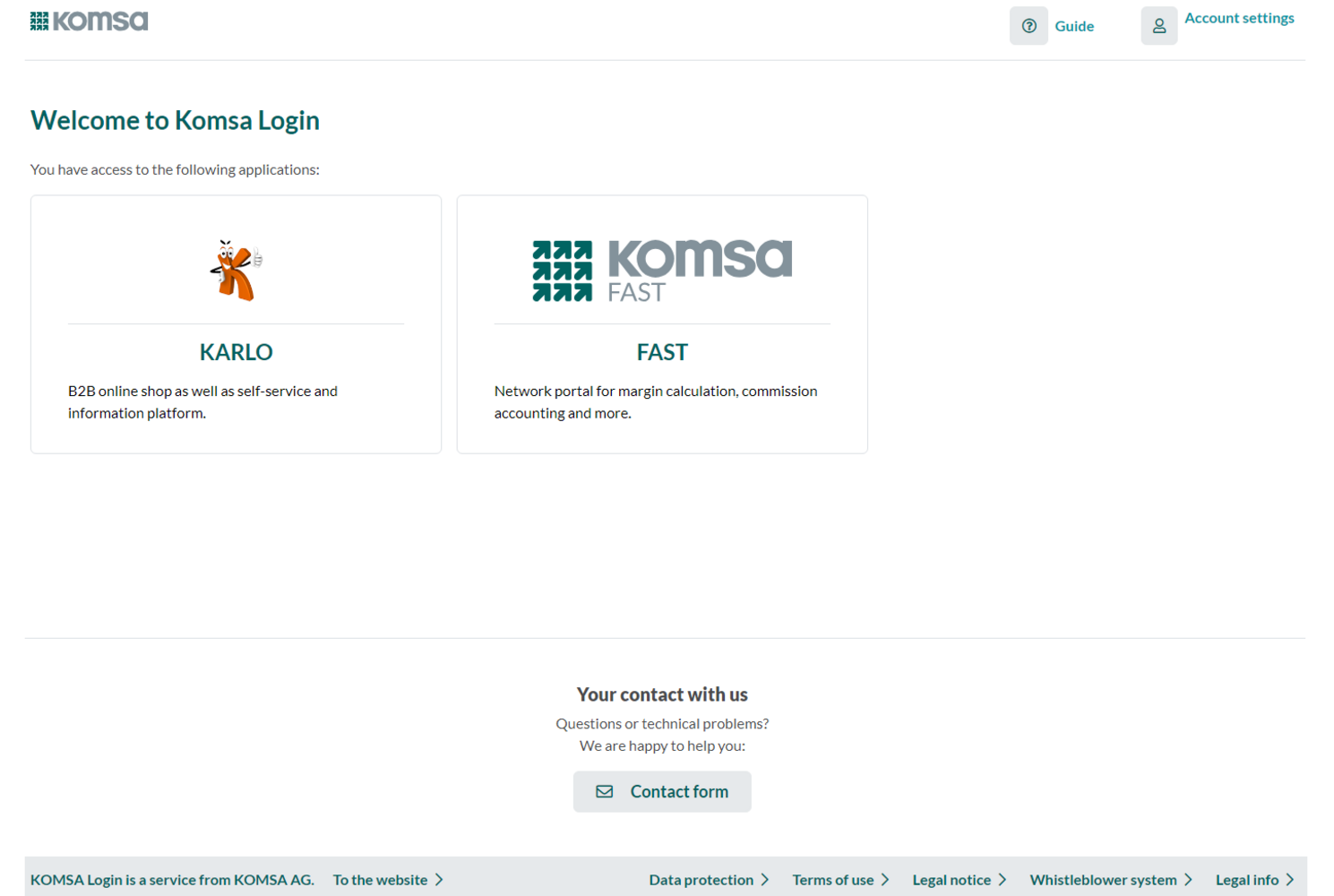
View of the dashboard after login:
You will see an interface with direct links to all applications for which you have been activated.
You can also manage your user account and:
-
Change your master data, such as e-mail address and name.
-
Reset your password.
-
Deactivate and reactivate the request for a security code in addition to your password (2-factor authentication).
-
Log out of all devices and browsers.
-
Merge your accounts if you have several KOMSA-Login accounts.
-
Delete your account and thus access to all activated applications.

I don't see any information about changing my KARLO access, why not and what do I need to bear in mind?
We are gradually migrating all our customers. If you do not see the notice on the start page in KARLO, then you are not yet scheduled for the changeover to the KOMSA-Login.
We will inform you in good time. Until then, please use the usual login method.
I have several customer numbers with which I use KARLO. What do I need to bear in mind?
The conversion of the KARLO access to the KOMSA-Login must be carried out for each of your customer numbers.
If you as a user use the same e-mail address for all your customer numbers, you can easily switch back and forth between your customer numbers within the applications. So you link all your customer numbers under the one KOMSA-Login which is your user account.
The customer number selection is displayed within the application if:
-
the same user with the same e-mail address uses different customer numbers.
(See also: For main users or admins in KARLO: What do I have to consider for my sub-users?)
What do I have to consider if I am already using the FAST network portal as an application?
The FAST network portal is an application that you already log into via the KOMS-Login. This means that you already have a user account with an e-mail address and password.
We recommend that you proceed as follows when converting your KARLO access:
-
Check the e-mail address with which you log into the FAST network portal and thus with your existing KOMSA-Login at https://login.komsa.com/changemasterdata.
-
Log in to KARLO and convert your KARLO access.
-
In the e-mail you receive with the changeover, click on the second link under "Do you have access to the FAST network portal?"
-
You will be redirected to the KOMSA-Login.
-
Enter the same e-mail address that you use to log into the FAST network portal and thus with your existing KOMSA-Login (see step 1).
You have now united your two applications under one KOMS-Login and therefore under the same e-mail address.
For main users or admins in KARLO: What do I have to consider for my sub-users?
In principle, every user with KARLO access must switch to the KOMSA.Login themselves. The creation of new users and the administration of functional and viewing rights is still carried out as usual in KARLO under "Team account".
Master data for sub-users can only be changed by the sub-user themselves in the respective KOMSA-Login (address, language, name, e-mail, password).
In the KARLO team account (My KARLO > Administration > Team Account), you can set whether the account of your sub-users should first be deactivated when the e-mail address is changed. You will receive an e-mail notification and can reactivate your sub-user's account.
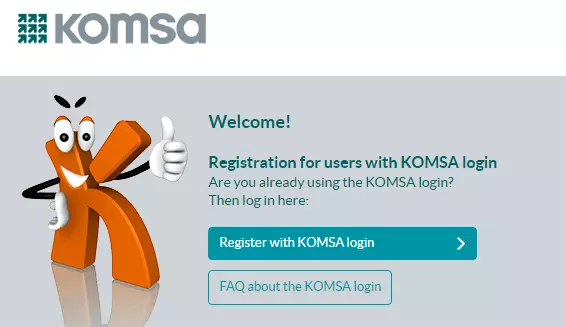
Is anything changing in KARLO itself?
The login interface for KARLO looks slightly different. Please note that as soon as you have switched your KARLO access to the KOMSA-Login, you can log in directly via the KOMSA-Login and call up KARLO or click on the "Log in via KOMSA login" button in the KARLO interface.
Nothing changes in KARLO itself, including the ordering process!
How can I subsequently change my e-mail address for the KOMSA-Login?
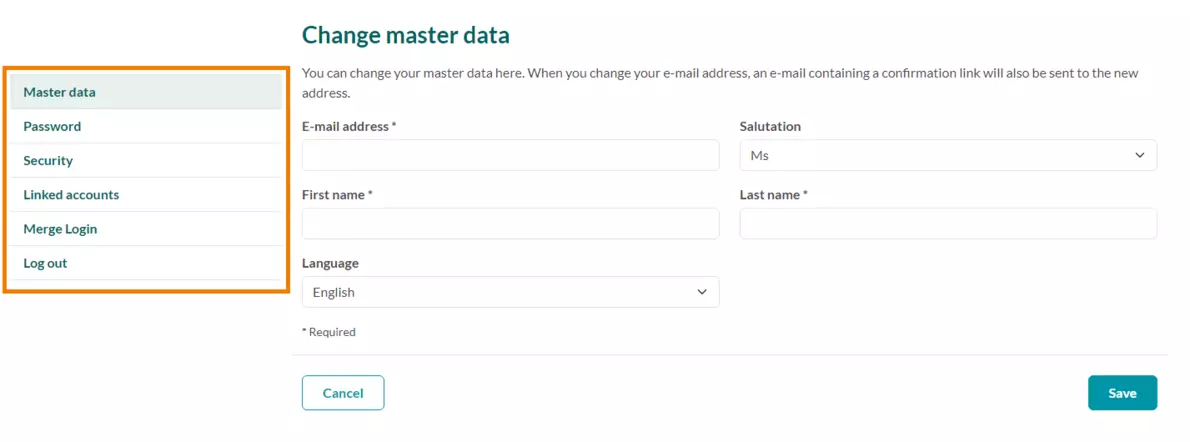
You can change your e-mail address at any time in the KOMSA-Login at: https://login.komsa.com/changemasterda
Don't forget to save your changes!
You always manage your master data such as e-mail address, title, first name, surname and language directly in the KOMSA-Login.
What happens if I have not been active in the KOMSA-Login for a long time?
You will automatically receive a message with a code to your registered e-mail address. This is a temporary 2-factor authentication. You enter the code once when you log in again after 90 days of inactivity to reactivate your account quickly. This provides additional security for your account and protects against fraud.
What happens to my old conventional login after the changeover?
As soon as you have switched to the KOMSA-Login, the "old" login will no longer be available to you.
I still have questions about the KOMSA-Login. Who can I contact?
User support online portals:
-
telephone: 00493722 713 559
-
e-mail: Support-Onlineportale@komsa.com